What to include
Include the app version, iOS version and what you were doing when the problem occurred.
How to use BusTag SG
Bus Stops helps you check nearby buses and prepare useful tags. Tags will help you compare those buses during your everyday journeys.
Bus Stops basics
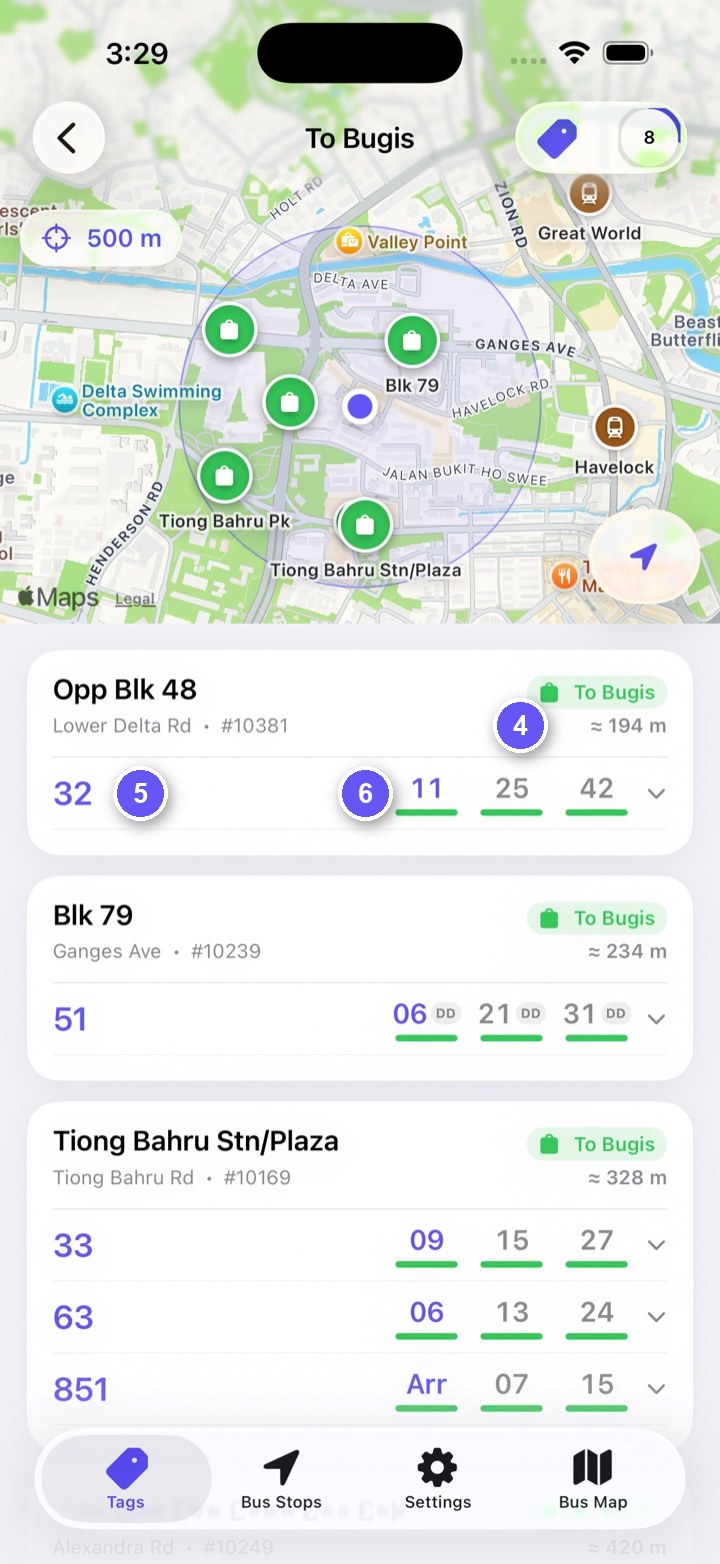
Open Bus Stops from the bottom bar. Nearby stops appear on the map and in distance order. Tap the stop you want to use.
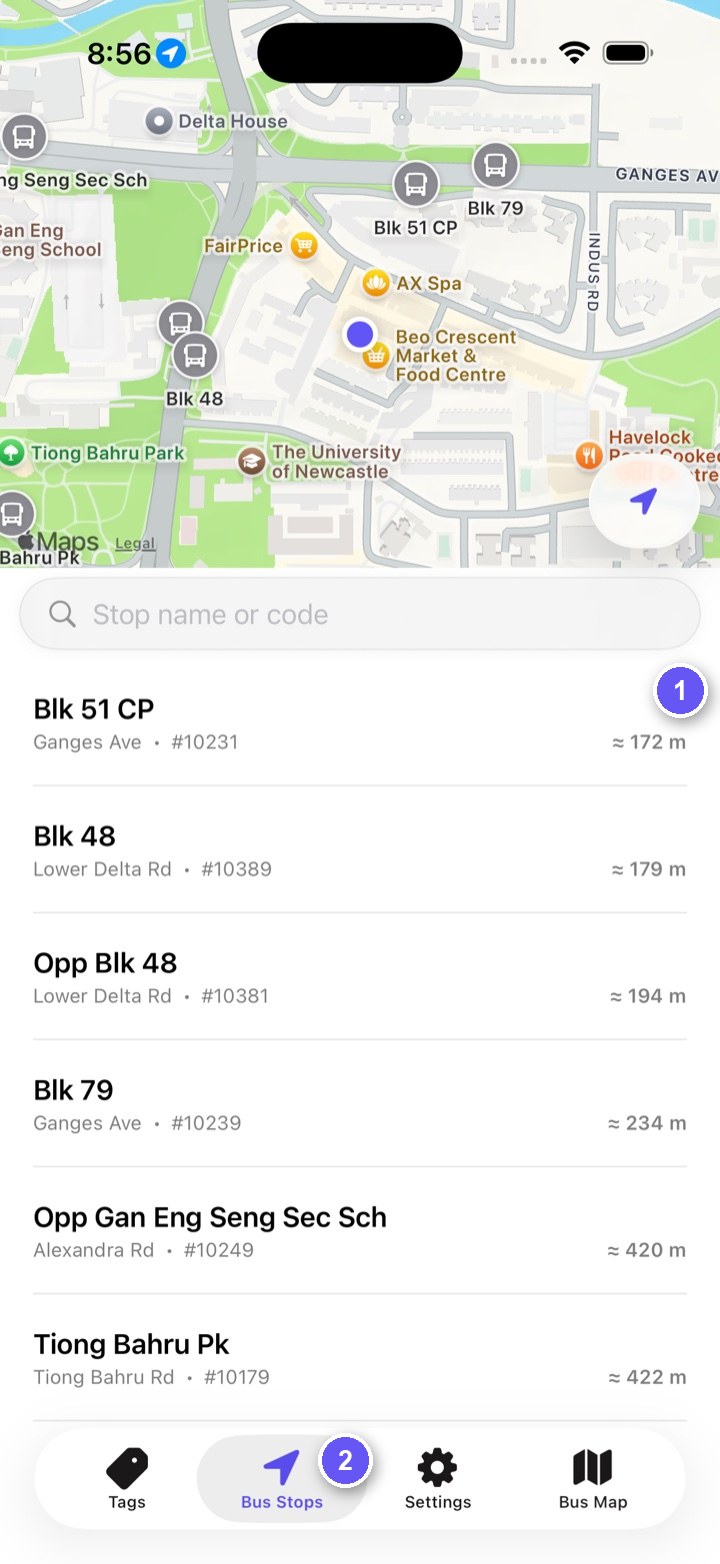
The list is centred on your current area. Each row shows the stop name, road, stop code and approximate distance.
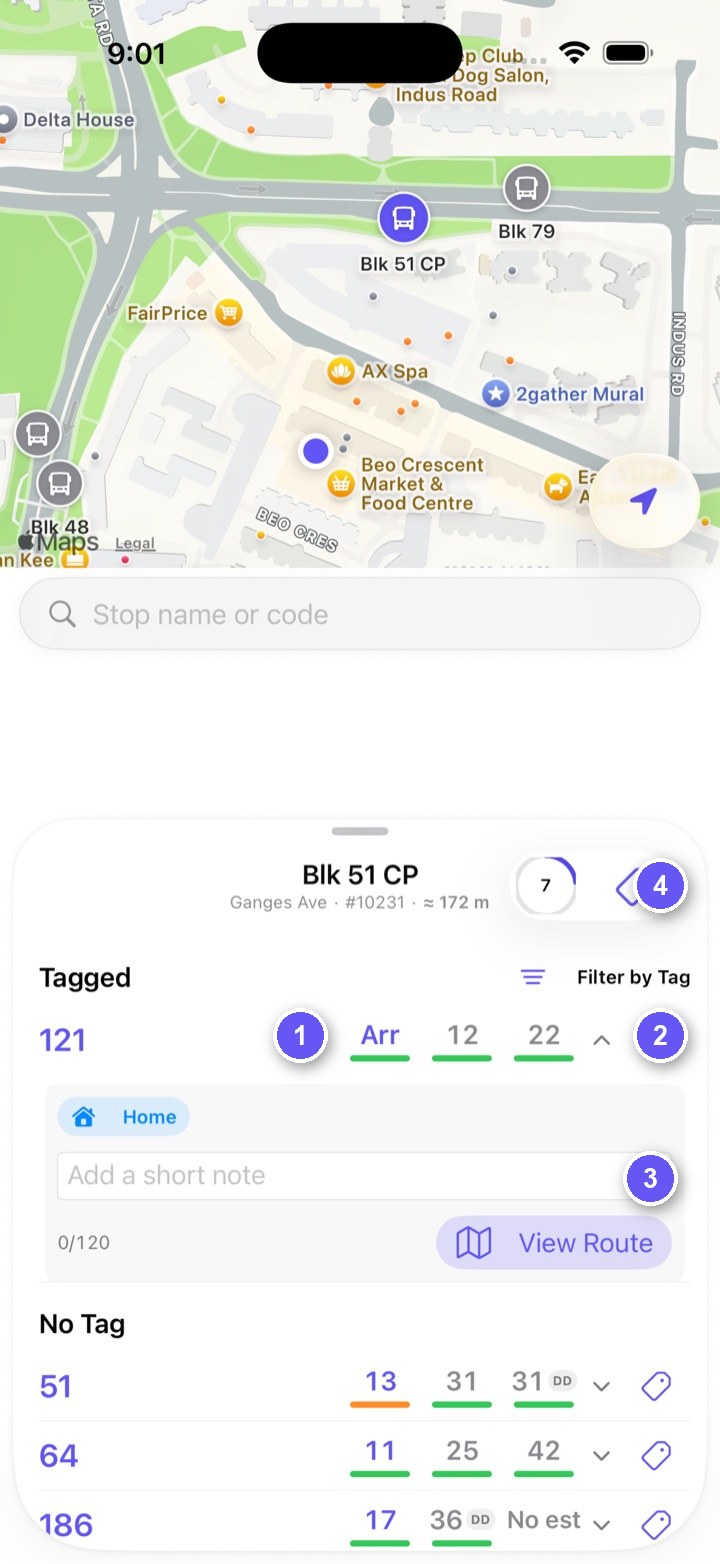
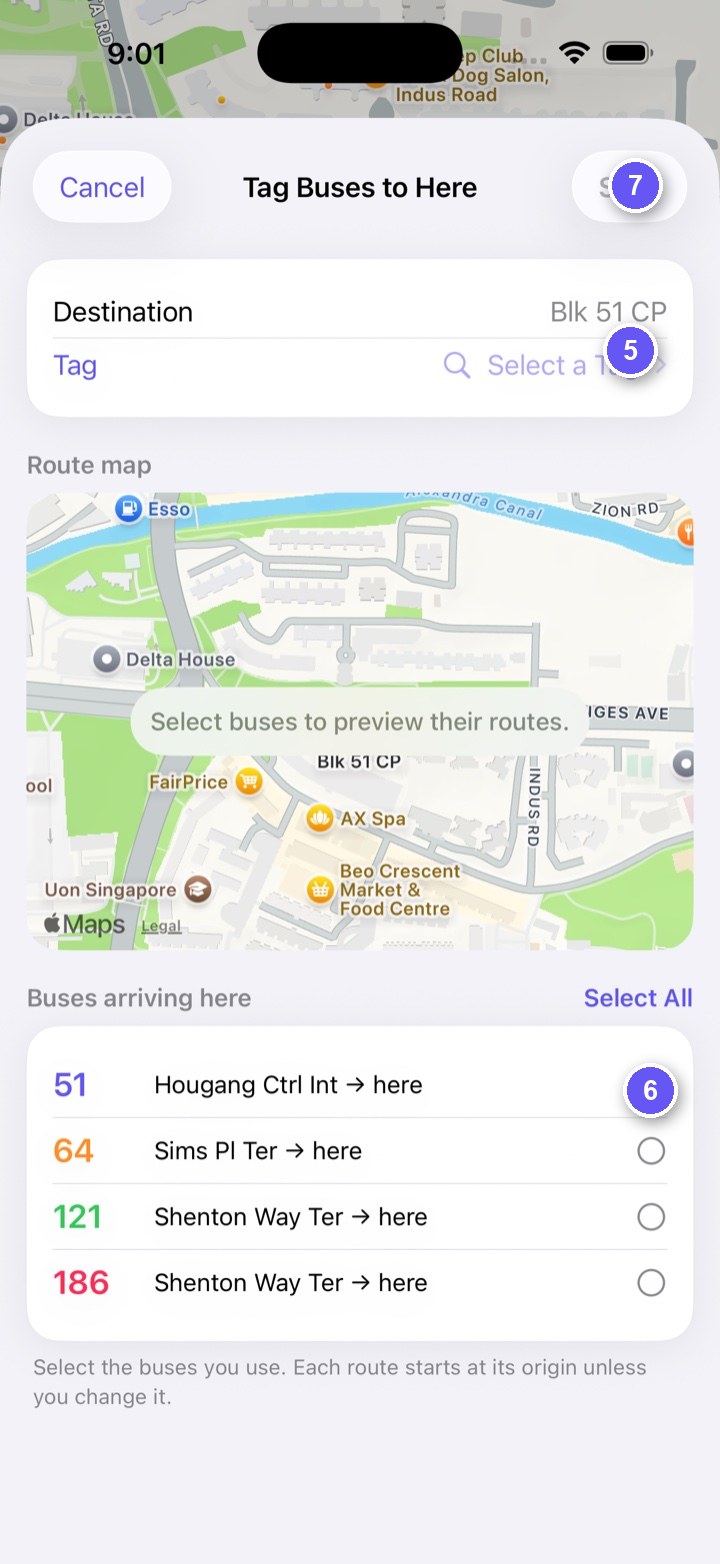
Tags basics
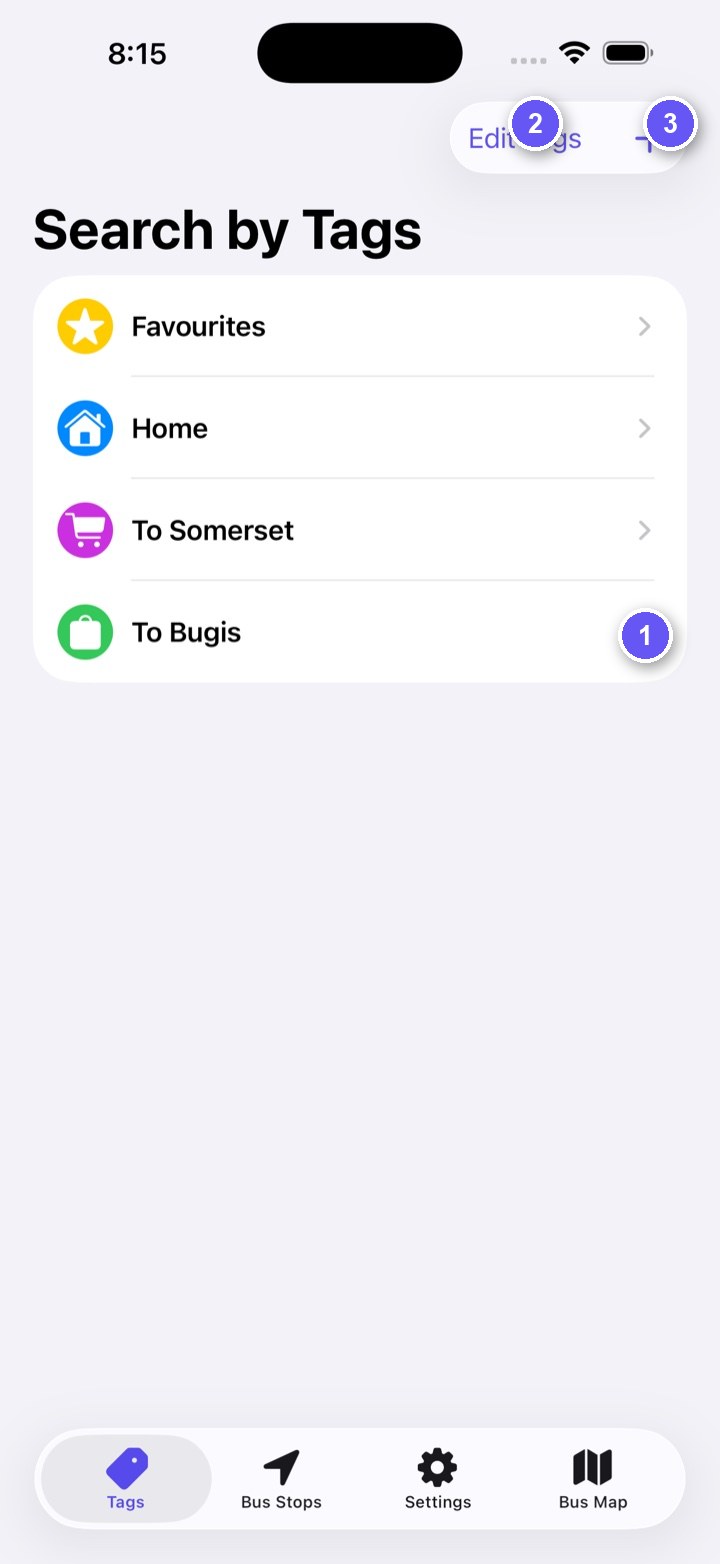
When you choose a tag, you can compare buses carrying that tag across multiple nearby stops.
Feedback
Include the app version, iOS version and what you were doing when the problem occurred.
Do not include your precise location or other sensitive information.
Privacy policy
Last updated: 19 July 2026
BusTag SG stores your tags, tag assignments, route rules, service notes, app preferences and downloaded bus data on your device. This information is used only to provide the app's features.
With your permission, the app uses your location to find and sort nearby bus stops. Precise location is processed on your device. It is not saved by the app and is not included in requests to LTA DataMall. You can deny or revoke permission and continue by searching or browsing the map manually.
The app connects directly to LTA DataMall to download public bus-stop, route, service and live-arrival data. An arrival request includes the selected bus stop code. The service provider may receive technical network information such as an IP address.
The app does not contain advertising or third-party analytics SDKs. The developer does not use the app to track you across apps or websites and does not sell personal information.
Use Reset Tags & Settings in Settings to remove your tags, notes, route rules and preferences. Deleting the app removes its locally stored data from your iPhone.
Contains information from LTA DataMall, made available under the Singapore Open Data Licence. LTA data may be delayed, incomplete, inaccurate or unavailable. BusTag SG is not endorsed by LTA or the Singapore Government.
The latest version of this policy will remain available on this page. Feedback can be sent to tm.development.support@gmail.com.